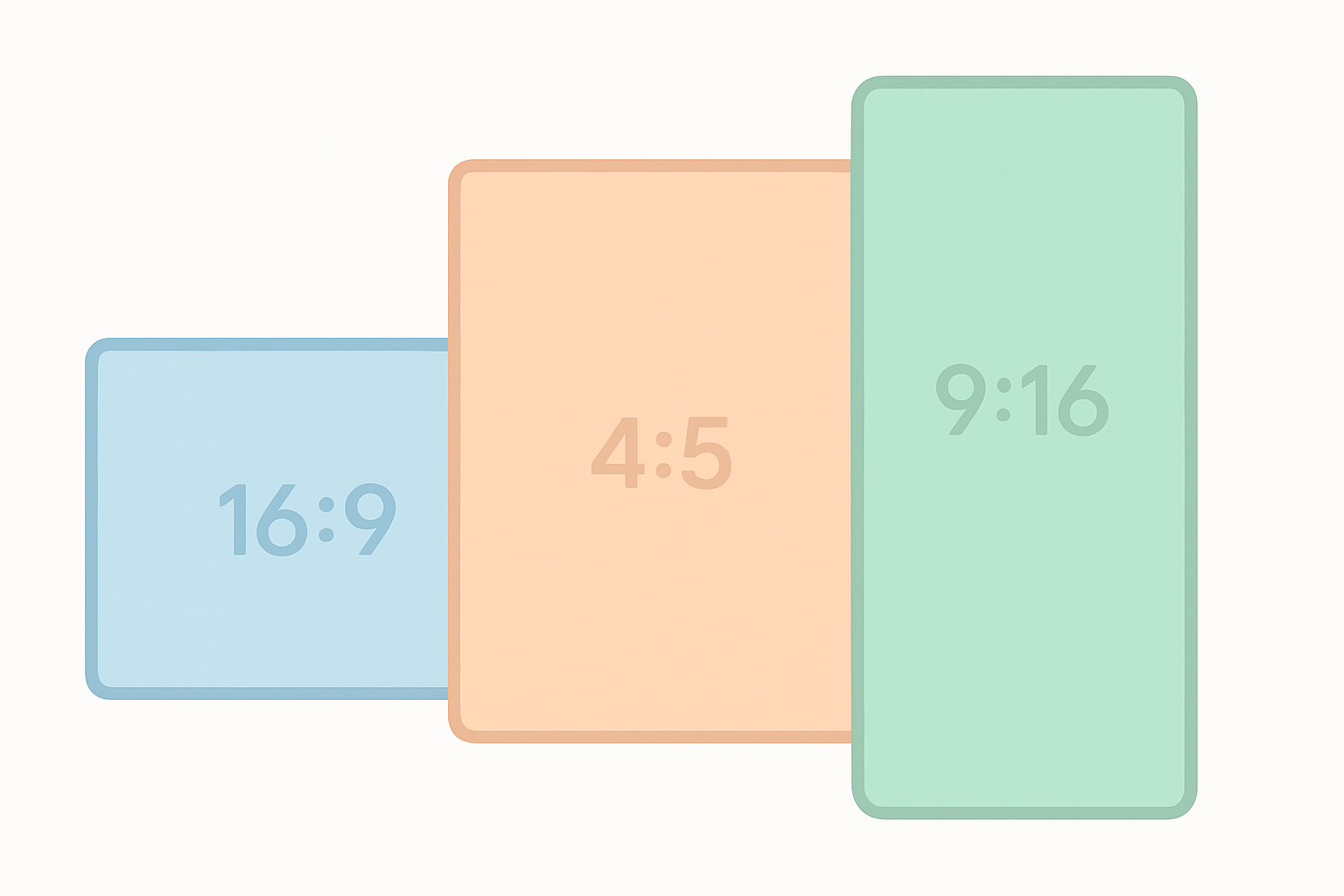
The youtube thumbnail aspect ratio question used to have one answer: 16:9. In 2026, it’s more nuanced. YouTube now displays thumbnails in multiple aspect ratios depending on where the video appears — regular videos, Shorts, vertical formats, and search results each follow slightly different display rules. Here’s the complete breakdown.
Key Takeaways
- The standard thumbnail ratio youtube format is 16:9 (1280×720 pixels)
- YouTube Shorts use a 9:16 vertical display in the Shorts feed
- YouTube has tested a 4:5 crop for certain vertical content placements
- Always create your primary thumbnail at 16:9 — YouTube handles the cropping for other formats
- The 16:9 thumbnail youtube standard ensures proper display across every standard placement
The Primary Aspect Ratio: 16:9
The 16:9 aspect ratio is the universal standard for YouTube thumbnails on regular videos. At the recommended size of 1280×720 pixels:
- Width ÷ Height = 1280 ÷ 720 = 1.777… = 16:9
- This matches the widescreen format used by all HD video
Every standard YouTube placement uses 16:9:
- Home feed cards
- Search results
- Recommended videos sidebar
- Channel page video grid
- Subscription feed
- End screens and cards (when the full thumbnail is displayed)
If your thumbnail is not 16:9, YouTube will letterbox (add black bars) or crop it to fit. Always design at 16:9 — YouTube Help recommends 1280×720 with a 16:9 ratio as the canonical custom thumbnail spec.
The 9:16 Vertical Format: YouTube Shorts
YouTube Shorts are filmed and displayed vertically. In the Shorts feed, thumbnails appear in a 9:16 portrait orientation. However, this creates a practical challenge:
- The custom thumbnail you upload must still be an image file in any aspect ratio
- YouTube will crop and display it as 9:16 in the Shorts feed
- The same thumbnail may appear as 16:9 in regular search results if the Short appears there
What this means for Shorts creators: If you upload a 16:9 custom thumbnail for a Short, YouTube will crop the center 9:16 portion for the Shorts feed display. Design your Shorts thumbnails with the center vertical crop in mind — keep faces and text in the middle third of a 16:9 image to ensure they survive the crop.
Alternatively, upload a 9:16 native thumbnail for Shorts to get full control over the Shorts feed display.
The 4:5 Format: YouTube’s Vertical Video Auto-Crop
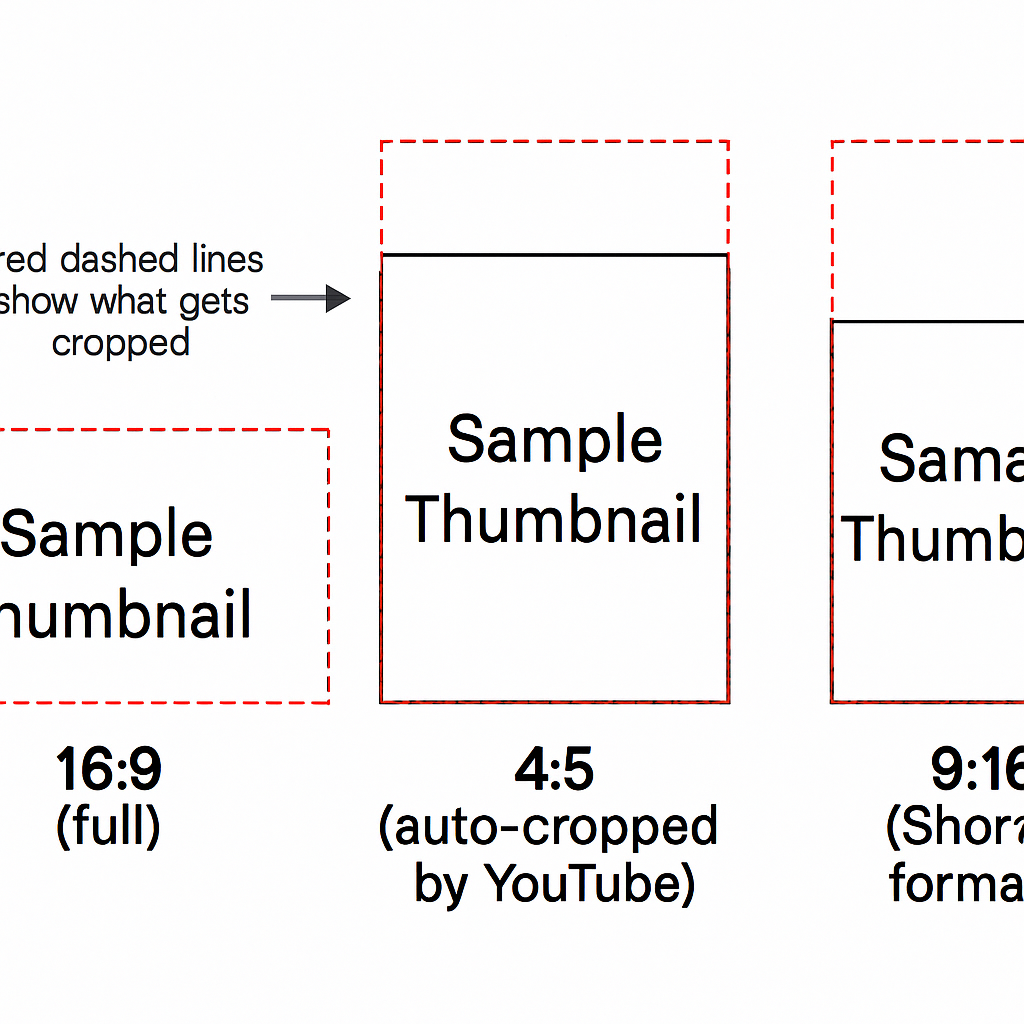
YouTube introduced a 4:5 aspect ratio crop for vertical videos that appear in certain browse feed contexts in 2024-2025. The 4:5 ratio (width:height = 0.8) is used for:
- Vertical videos that aren’t classified as Shorts
- Certain home feed layouts on mobile that test vertical or near-vertical thumbnail cards
- YouTube’s experimental “vertical-first” browse experiences
If your video might appear in these contexts, design your thumbnail with the central 4:5 portion in mind — approximately 576×720 out of your 1280×720 image.
youtube thumbnail format: Which Ratio for Which Content Type
| Content Type | Upload Format | Display Format |
|---|---|---|
| Regular video | 16:9 | 16:9 |
| YouTube Short | 16:9 or 9:16 | 9:16 in Shorts feed, 16:9 in search |
| Vertical video (non-Short) | 16:9 | 16:9 or 4:5 crop |
| YouTube Music video | 16:9 | 16:9 |
| YouTube Podcast | 1:1 in some contexts | Varies |
How to Check Your Thumbnail Ratio Before Uploading
The simplest check: open your thumbnail image in any image viewer and look at the pixel dimensions. For 16:9, width divided by height should equal approximately 1.78.
Common 16:9 thumbnail sizes:
- 1280×720 (recommended)
- 1920×1080 (also fine, larger file)
- 640×360 (minimum recommended)
If you get a ratio other than 1.78, your thumbnail is not 16:9. This won’t necessarily cause problems — YouTube will adapt it — but you may get unexpected cropping.
Designing for Multiple Ratio Contexts
Since your thumbnail may appear in 16:9, 4:5, and 9:16 contexts, here’s a smart design approach:
- Create a 1280×720 (16:9) canvas
- Mark a safe zone: The central 576×720 portion represents your 4:5 visible area
- Mark the 9:16 zone: The central ~405×720 represents the Shorts feed visible area
- Keep critical elements (faces, text) within the 9:16 safe zone for maximum compatibility
This “design once, display anywhere” approach works well if your content appears in multiple YouTube contexts.
Aspect Ratio vs Resolution: Understanding the Difference
Aspect ratio and resolution are related but different:
- Aspect ratio: The proportional relationship between width and height (16:9 is a ratio) — see MDN’s aspect-ratio reference for the underlying math
- Resolution: The actual pixel count (1280×720 is a resolution)
A 1280×720 image and a 640×360 image both have a 16:9 aspect ratio — but very different resolutions. For YouTube, always target 1280×720 (the recommended resolution at the correct 16:9 aspect ratio).
For the full technical specification reference, see the YouTube Thumbnail Size Guide.
Aspect Ratio for YouTube Shorts Thumbnails
Shorts thumbnails have their own specific size recommendations separate from regular videos. If you’re creating content specifically for Shorts, see the dedicated YouTube Shorts Thumbnail Size and Specs guide for the full picture.
Conclusion
The 16:9 aspect ratio is the foundation for all YouTube thumbnail design in 2026. Upload at 1280×720 pixels, keep important content away from edges, and be mindful that YouTube may crop your thumbnail to 4:5 or 9:16 in certain vertical display contexts. Design with those crop zones in mind and your thumbnail will look good everywhere.