
Android makes it slightly easier to download images than iOS, but YouTube still blocks direct long-press saving on thumbnails shown in the app. Thankfully, you can save any YouTube thumbnail on Android in under a minute using just a browser — no app installs, no account needed. This guide covers every working method for 2026.
Key Takeaways
- The fastest method is a web-based tool — paste the YouTube URL in Chrome and download
- Android lets you long-press on images in browser tabs to save them directly to your gallery
- The youtube thumbnail mobile download process works on Chrome, Firefox, Samsung Internet, and Edge for Android
- You can save the file to Downloads or directly to your Gallery
- For full quality, always choose the maxresdefault (1280×720) option
Why YouTube Blocks Direct Thumbnail Saving
YouTube’s Android app and mobile website don’t allow you to save thumbnail images directly. Long-pressing on a video thumbnail in the app brings up a context menu with options like “Share” or “Add to playlist” — not “Save image.” This is a deliberate design choice to control how thumbnails are distributed.
The workaround is simple: fetch the thumbnail through a dedicated web tool, where the image renders as a standalone file you can save normally.
Method 1: Chrome on Android (Easiest)
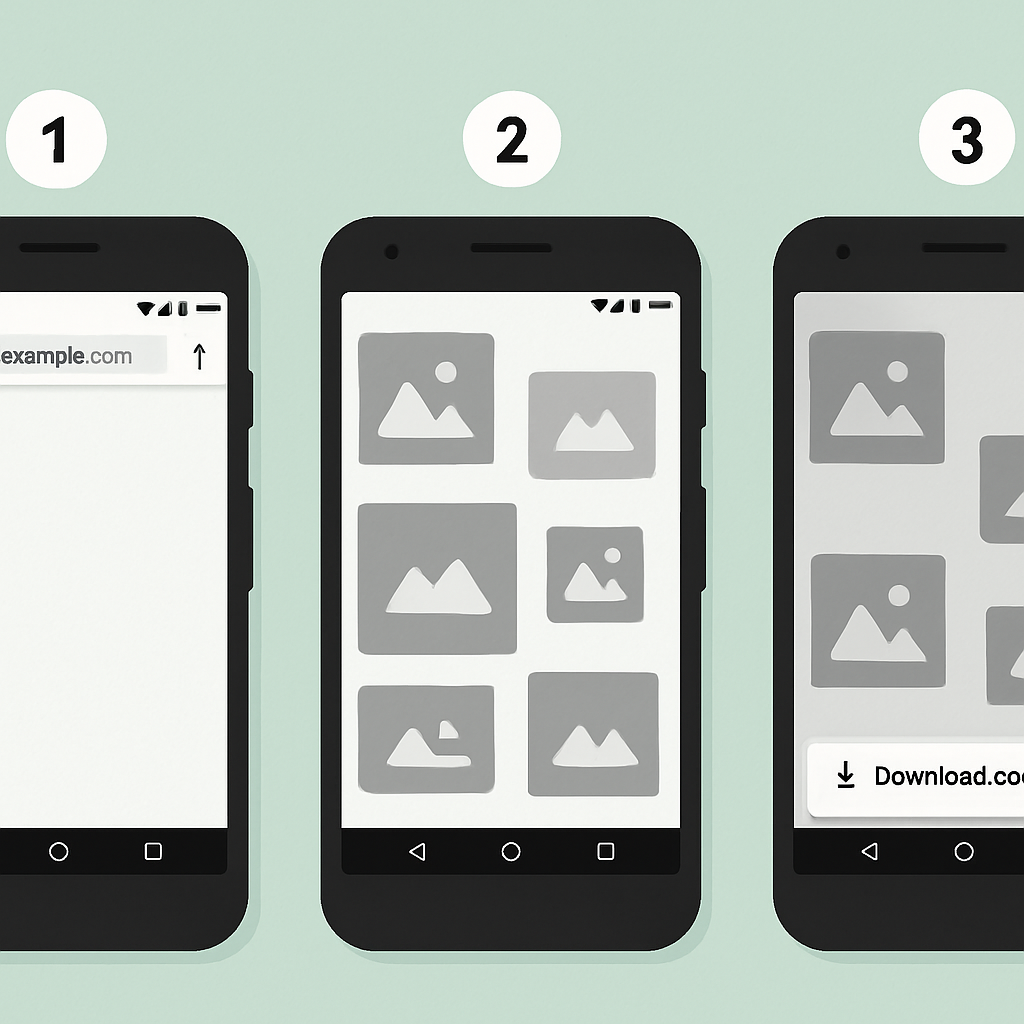
- Open the YouTube app or YouTube in Chrome and find the video you want.
- Tap the Share button and select Copy link.
- Open Chrome and go to getyoutubethumbnaildownloader.com.
- Tap the search box and paste the URL.
- Tap Grab Thumbnails.
- The available resolutions appear — tap the Max Resolution or HD button.
- The thumbnail opens in a new tab as a standalone image.
- Long-press the image — a menu appears.
- Tap Download image (or Save image on some devices).
The image saves to your Downloads folder and is accessible from your Gallery or Files app.
Method 2: Firefox for Android
Firefox for Android has a slightly different UI but the same result:
- Copy the YouTube video URL.
- Open Firefox and go to getyoutubethumbnaildownloader.com.
- Paste the URL and tap Grab Thumbnails.
- Tap the resolution you want — the image opens as a standalone file.
- Long-press the image and tap Save Image.
- The file saves to your device storage.
Method 3: Direct URL Method
If you know the video ID, you can bypass any tool entirely:
- Extract the video ID from the YouTube URL (the string after
v=). - In Chrome’s address bar, enter:
https://img.youtube.com/vi/{VIDEO_ID}/maxresdefault.jpg - Press Enter.
- Long-press the image and tap Download image.
This is the fastest method for developers and power users. For a full explanation of how YouTube’s thumbnail URLs work, see the YouTube Thumbnail URL Trick guide.
Method 4: Using Files App + Download Manager
Android’s built-in download manager handles thumbnail downloads cleanly:
- When the thumbnail opens in your browser tab, tap the share/download icon in Chrome.
- Tap Download — the file saves with a
.jpgextension. - Open the Files app and navigate to Downloads to find your file.
The file name will be the quality name (e.g., maxresdefault.jpg). Rename it after saving if you want something more descriptive.
Save YouTube Thumbnail Android: Understanding File Storage
When you save youtube thumbnail android images, they go to different locations depending on how you save them:
- Long-press > Save image: Saves to
Pictures/folder, appears in Gallery - Long-press > Download: Saves to
Downloads/folder, accessible via Files app - Chrome download manager: Saves to
Downloads/with a download notification
Either location works fine. If the image doesn’t appear in your Gallery immediately, open the Gallery app and refresh.
Troubleshooting Android Download Issues
“Couldn’t save image” error: Go to Android Settings > Apps > Chrome > Permissions and ensure “Storage” or “Files and media” is enabled. See Android’s guide on changing app permissions if the toggle is missing.
Image saves but doesn’t appear in Gallery: The media scanner hasn’t indexed the new file yet. Open your Gallery app and pull down to refresh. Alternatively, use a file manager to navigate directly to the Downloads or Pictures folder.
The downloaded thumbnail is low quality: Make sure you’re tapping the Max Resolution option (1280×720) in the downloader, not the smaller preview thumbnails.
maxresdefault returns a black 120×90 image: Some videos don’t have a 1280×720 thumbnail. The tool will show you which resolutions are actually available — choose hqdefault (480×360) instead.
Comparing iPhone vs Android Download Experience
| Feature | iPhone | Android |
|---|---|---|
| Long-press save location | Photos app | Gallery or Downloads |
| Browser save dialog | ”Add to Photos" | "Save image” / “Download image” |
| File access after save | Photos app | Gallery or Files app |
| Permission required | Photos access | Storage/Files access |
Both platforms work equally well with the web-based tool. For the iPhone version of this process, see How to Download YouTube Thumbnails on iPhone.
Conclusion
Downloading YouTube thumbnails on Android is straightforward once you know the approach. The free online downloader eliminates the hassle — paste the URL, pick the resolution, save the image. No app to install, no account to create, and it works on every Android device and browser in 2026.
For more YouTube thumbnail tips, visit the full download guide covering all five methods including desktop options.